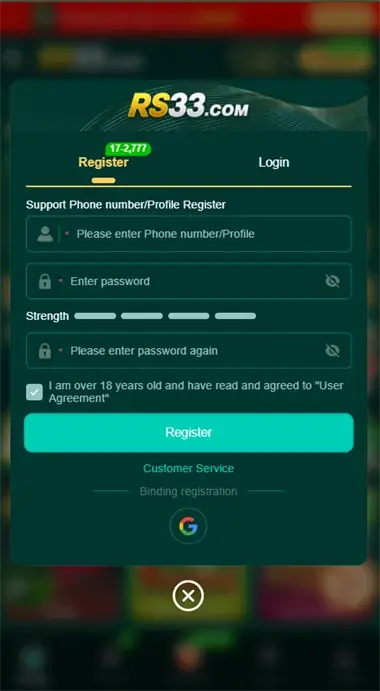

Step by Step
How to Register on RS33 Game
Follow these exact instructions to ensure your profile is activated and eligible for cashouts.
1
Launch App & Tap 'Register'
Open the RS33 Game app on your smartphone. On the welcome screen, tap the Register button located beside the login panel.
2
Enter Your Mobile Number
Input your 10 or 11-digit active Pakistani phone number (Jazz, Telenor, Zong, or Ufone). Ensure this number is active on your phone to receive the SMS verification code.
3
Create Password & Enter OTP
Set a secure password containing letters and numbers. Tap the Send OTP button and enter the 4-digit code delivered to your SMS inbox.
Welcome Bonus Tip: After binding your phone number and payment wallet, tap the Daily Events banner on the home screen to claim your complimentary signup chips and free VIP wheel spin.